
Meetings tab
Every call, filed with the client
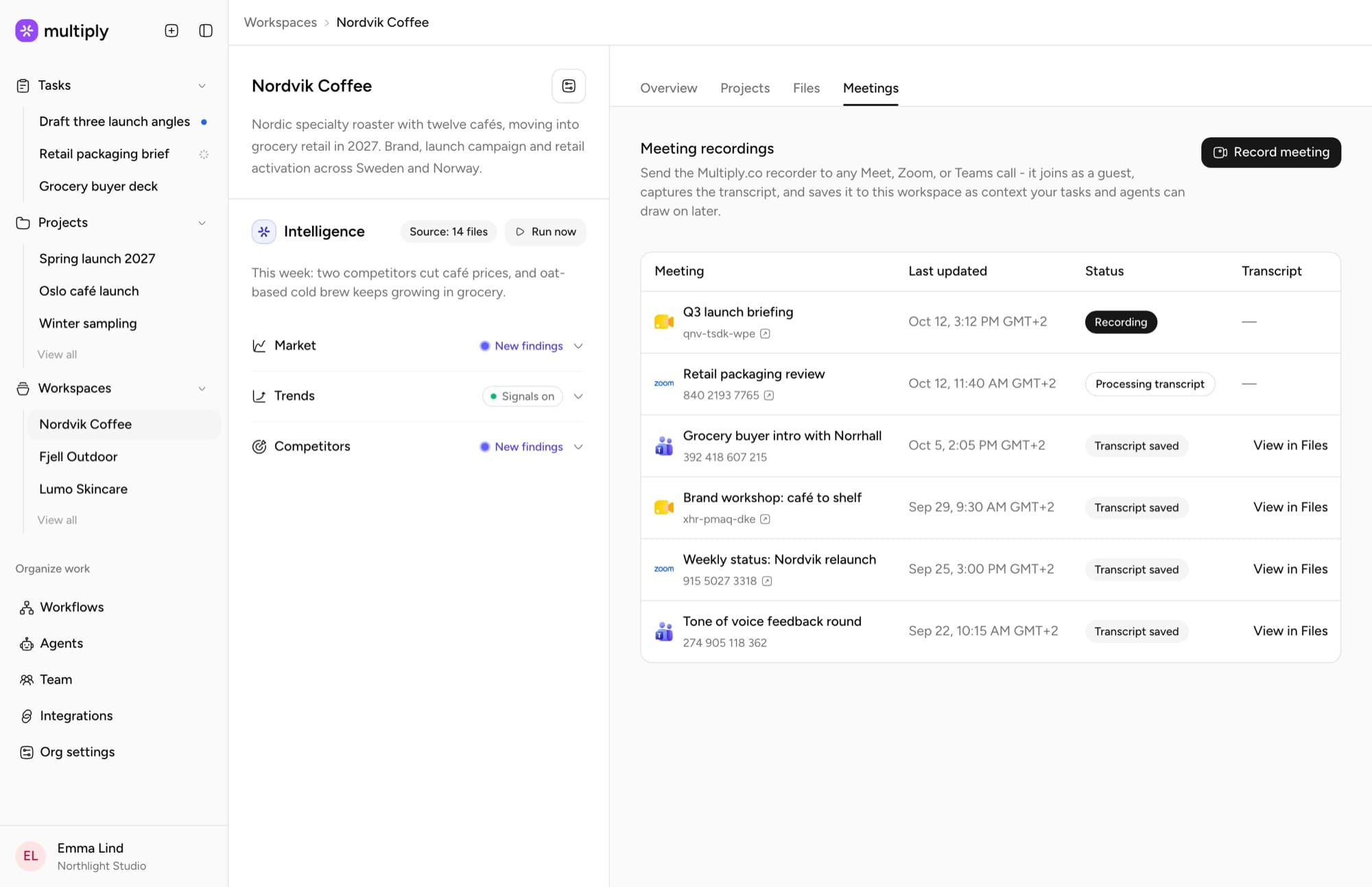
Each workspace keeps its own list of recorded meetings: what is recording right now, what is being transcribed and what is saved. Every transcript opens from the client’s files.
Meeting recordings
Send the Multiply recorder to a Google Meet, Zoom or Microsoft Teams call. It joins as a guest, captures the transcript and saves it to the client’s workspace, so every task and agent can draw on what was said.
Meetings tab
Each workspace keeps its own list of recorded meetings: what is recording right now, what is being transcribed and what is saved. Every transcript opens from the client’s files.

How it works
Open the client’s workspace, go to Meetings, choose Record meeting and paste the Meet, Zoom or Teams link.
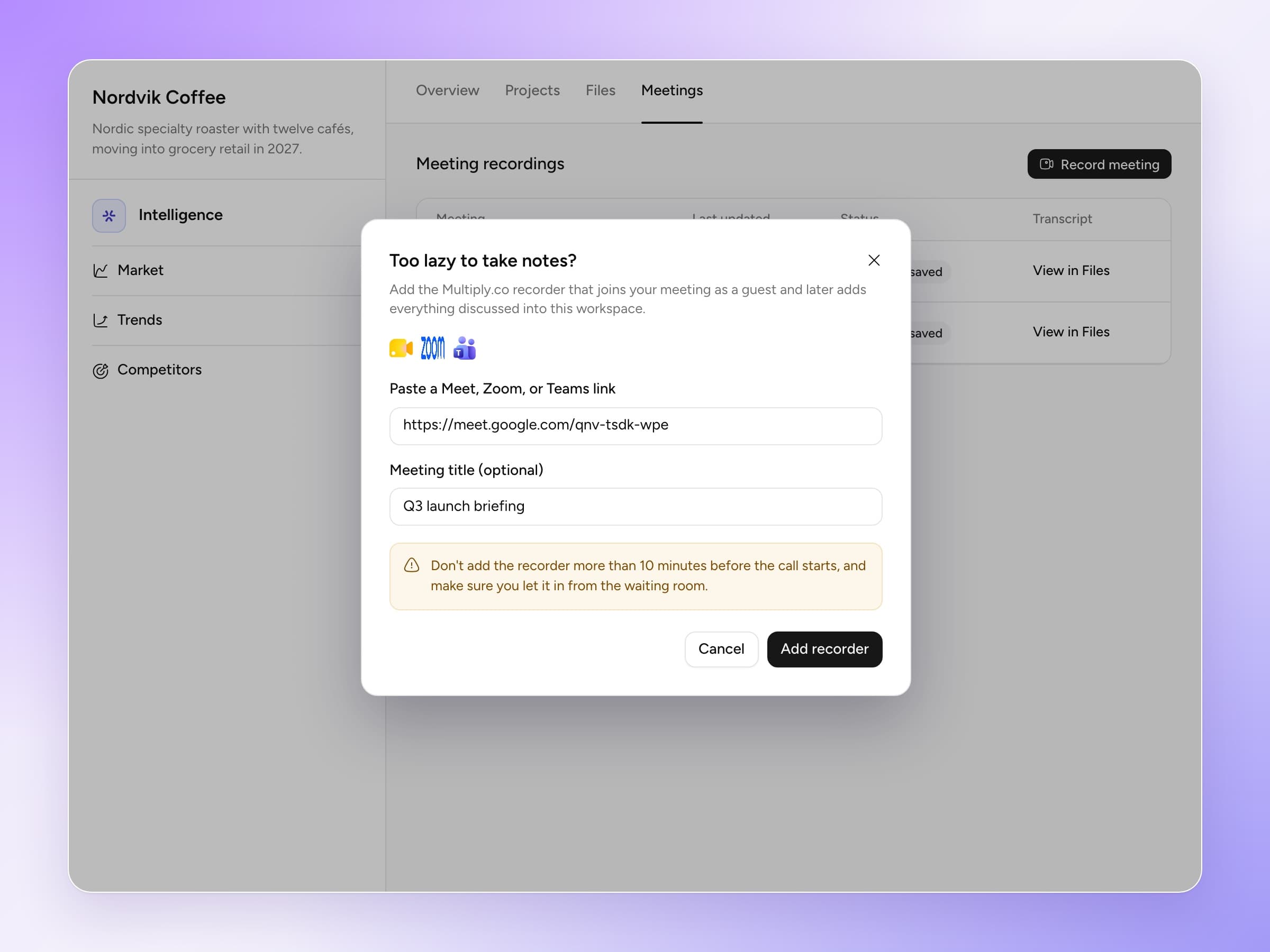
The Multiply recorder joins as a guest. Admit it from the waiting room like any other attendee.
When the call ends, the transcript is saved with the client’s files, with a title and a summary written by Multiply.
In any task under that workspace: “What did the client say about the launch date in Tuesday’s call?”
Record meeting
Paste the Meet, Zoom or Teams link, give the meeting a title if you like and press Add recorder. Let it in from the waiting room and get on with the call.

Most notetakers hand you a summary in yet another app. It gets read once, then it is gone, and the context lives in whoever was on the call.
In Multiply the transcript lands next to the brief, the brand guidelines and every past project for that client. From then on it is context: the next research task, the next brief proposal and the next project all start from what the client actually said.
That matters most on the days nobody planned for: a teammate joining the account, a client asking why a direction changed, a pitch that needs the quote from three calls ago.
Google Meet, Zoom and Microsoft Teams.
You send it. Paste the meeting link in the workspace’s Meetings tab, ideally no more than ten minutes before the call starts, and let it in from the waiting room.
Into the client’s workspace, with the rest of its files. Every task and agent working on that client can use it.
Everyone with access to the workspace, the same as the client’s other files.
Book a walkthrough and we will show you a transcript turning into context, then into a brief.