
The Agency OS
Multiply is where agencies run client work with AI: a self-driving workspace per client that researches and proposes work every week, projects with their own intelligence, every call and inbox in context, 3,000+ connected apps, and tasks where AI proposes and your team decides.
It drafted the reply to your client.
Every client gets an always-on Account Manager that keeps you closer to what they need. How it works
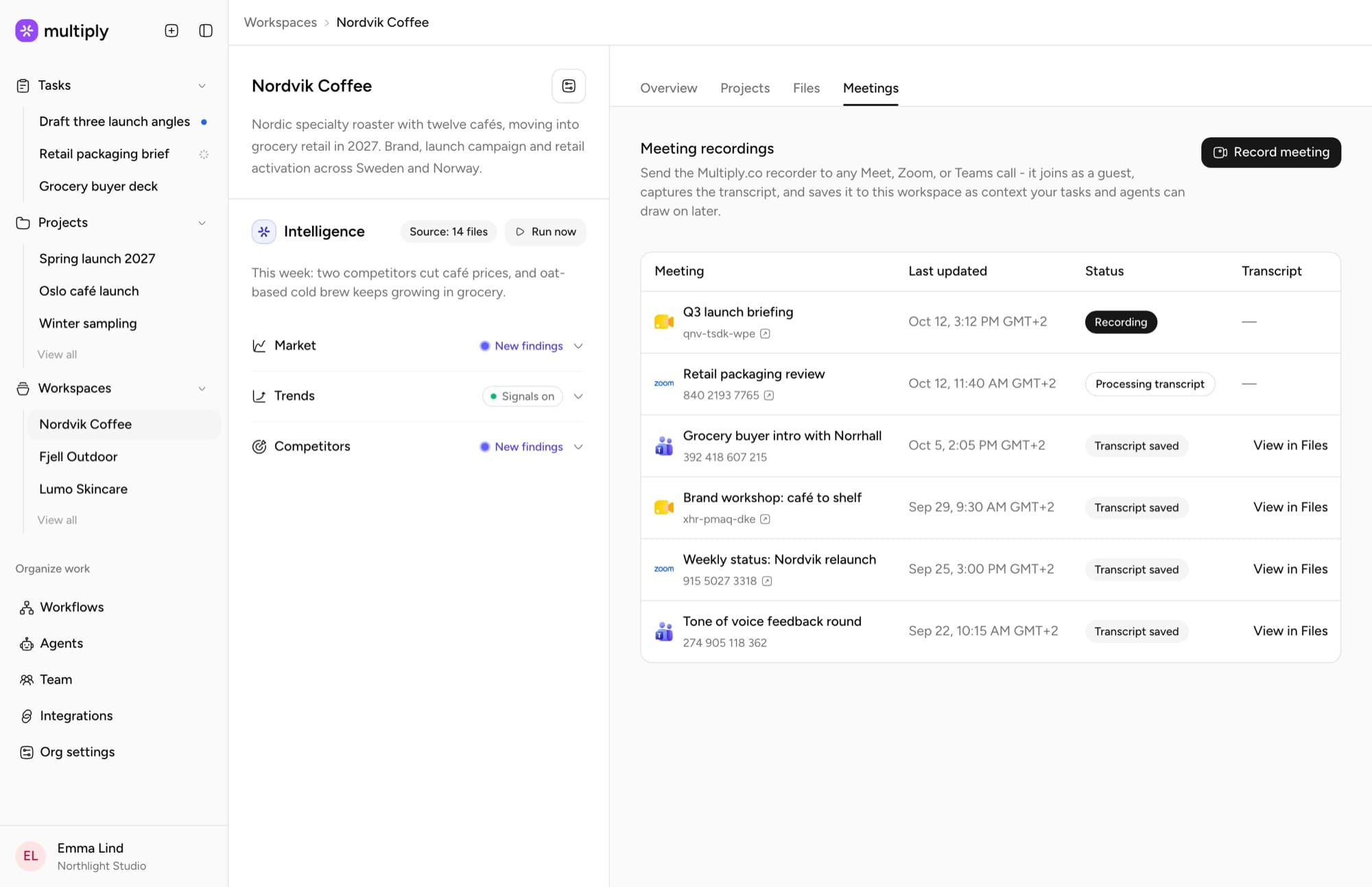
Hi Jonas, week 12 works. We've moved the shoot and the retail drop to match, and the sampling plan will be with you on Thursday. The updated timeline is attached.
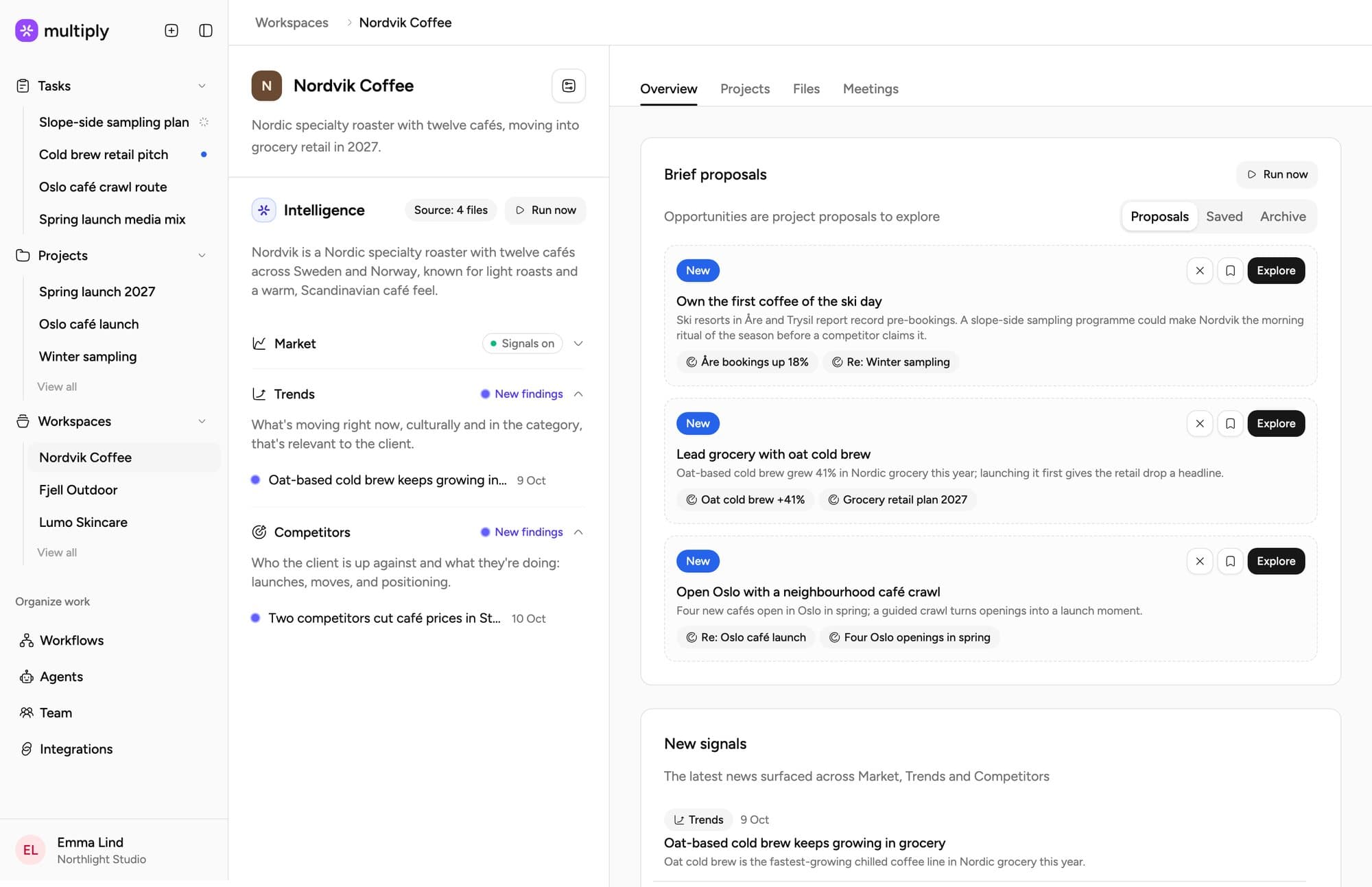
It surfaced the insight and sourced the next brief.
A Planner that organises everything you know into insights and sources the next brief before you ask. How it works
Own the first coffee of the ski day.
Nordvik's winter sales peak a month before its campaigns start. Three resorts have opened tenders for café partners.
It set up the project and the plan.
A Project Manager that drafts the brief, the plan and the SoW, and runs the recurring work. How it works
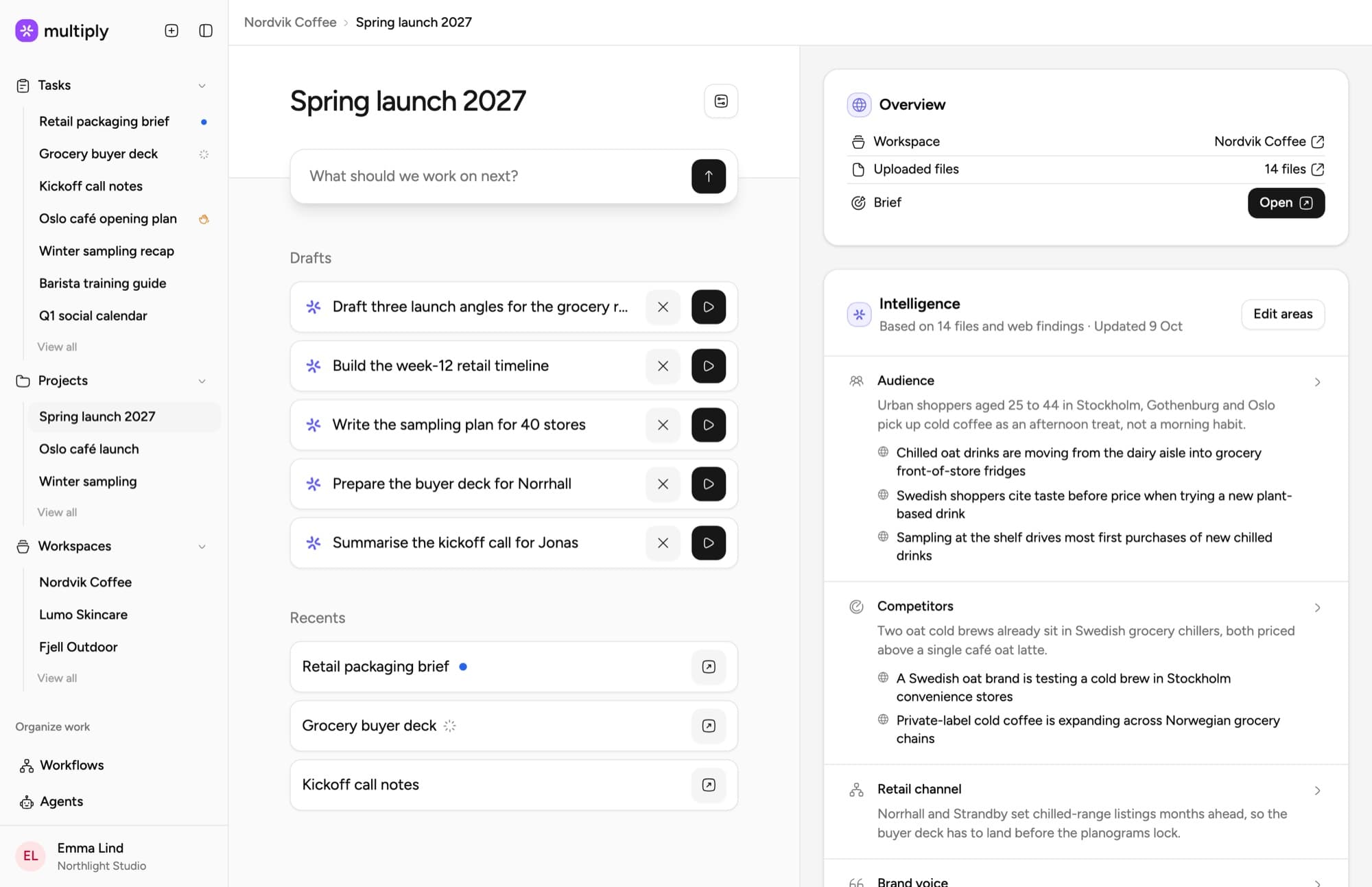
- Done: Brief drafted
- Done: Plan and timeline
- Done: Statement of work
- To do: Kickoff, Tuesday 10:00
Everything in the Agency OS
Workspaces
A workspace per client, context set once
Projects
Briefs, context and deliverables in one place
Tasks
AI proposes a plan, your team approves it
Workflows
Recurring work that runs itself
Intelligence
Everything you have told Multiply, in every task
Meetings
Every client call, on the record
Email
Your inbox, in every task
MCP
Multiply, inside Claude and ChatGPT
One system, not another tool.
AI assistants answer one question at a time. Project tools keep track of the work. Multiply is where the work happens, with your clients, your calls and your process already inside.
| AI assistantsChatGPT, Claude | Project toolsAsana, Monday | Multiply | |
|---|---|---|---|
| A living workspace for every client | No | Partly | Yes |
| Remembers every call, file and brief | Partly | No | Yes |
| Records client meetings and files them by client | No | No | Yes |
| Search 250,000 award-tagged campaigns | No | No | Yes |
| Agents that work on their own, on a schedule | Partly | Partly | Yes |
| Built for agency work: briefs, pitches, clients | No | No | Yes |
| Know-how your agency owns, and that compounds | No | No | Yes |
| Every client’s data kept apart | No | Partly | Yes |
Already use ChatGPT or Claude? Keep them. Multiply plugs in through MCP.
Works with what you already run.
Multiply sits between your team and your tools. It works when you ask, and when something happens: a client email, a message in Slack. Nothing to migrate.
 Slack
Slack HubSpot
 Figma
Figma Notion
 Linear
 Intercom
 Zoom
Zoom Stripe
 Airtable
 Webflow
 Loom
Loom Typeform
 Zendesk
 GitHub
 Google Analytics
 Hotjar
 Looker
 Microsoft Teams
 Gmail
Gmail Meta Ads
 X
X Mailchimp
 Discord
 Jira
Jira Snowflake
 Miro
Miro Zapier
 Mixpanel
 Shopify
 Asana
Asana Google Drive
 Google Ads
 TikTok
 Brevo
Brevo

Your clients' work stays yours.
Agencies trust Multiply with their clients' most sensitive work. Here is how it stays protected.
- EU data residencyYour data is stored and processed in the EU.
- No training on your dataNo AI model is trained on anything you bring.
- One workspace per clientAgents only see the client they're working for.
Product questions
Short answers first. The longer ones are a walkthrough away.
For agencies, the honest test is whether the tool knows your clients. General assistants answer briefing and strategy questions from a blank page; Multiply answers them from the client's workspace: the brand, the strategy documents, the past work and the feedback. AI proposes, your team decides, and the work stays yours.
Choose tools that separate clients structurally and do not train models on your data. Multiply keeps each client's context in its own workspace, is GDPR compliant, and never uses your data for model training. ISO 27001 certification is in progress.
No. Project management tools track work; Multiply does work. Projects and workspaces exist so AI has the context to research, draft and deliver inside your process, with people deciding what ships.
See it on your own clients
A 30-minute walkthrough built on your workflows, not a canned demo.