
A self-driving workspace per client
Context set once, used by every project and every agent under it. And every week the workspace researches its client and proposes work you could take to them.
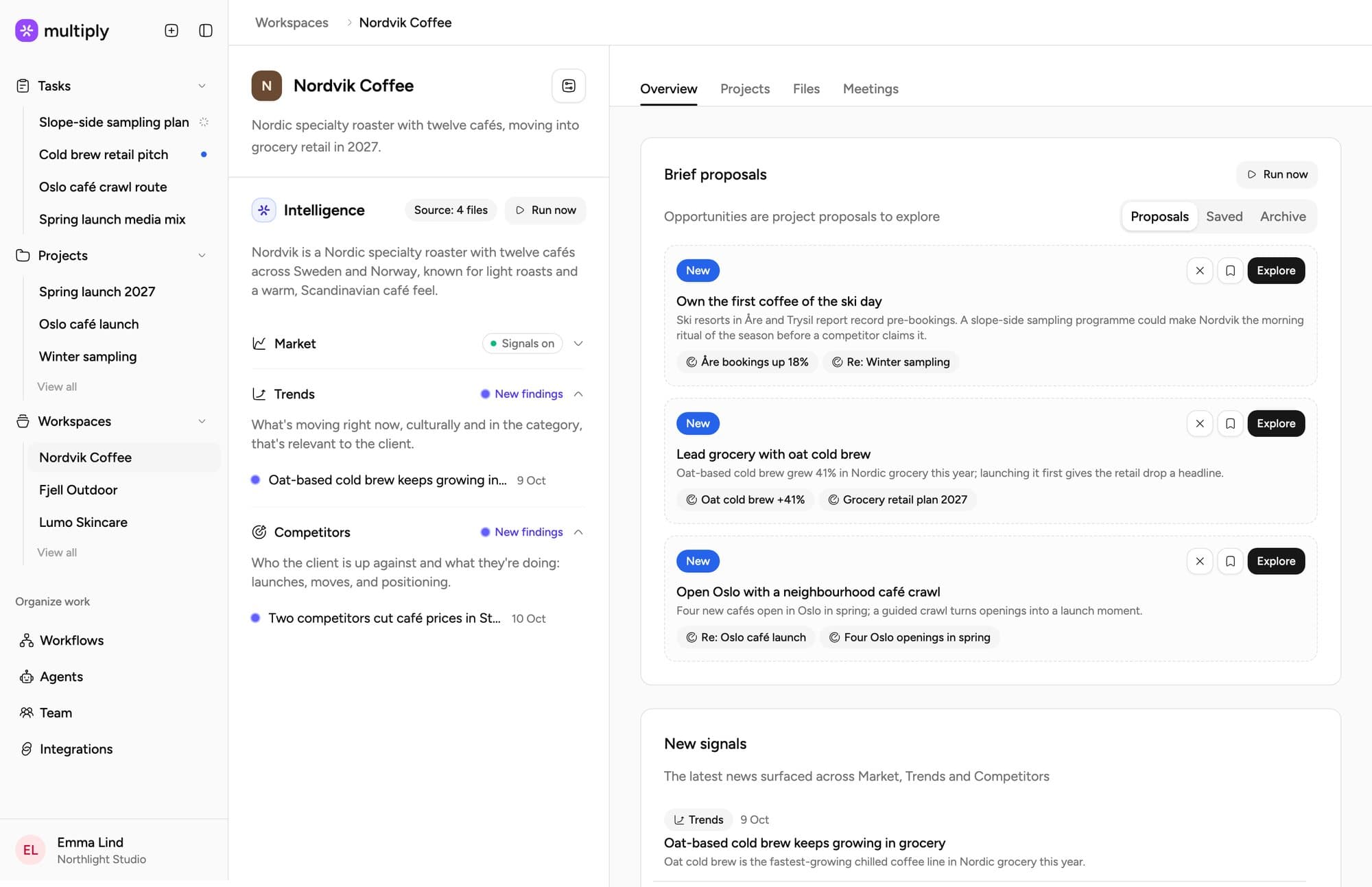
It proposes work worth pitching
From that research, the workspace proposes up to three pieces of work a week: a short pitch, a draft brief, suggested deliverables and the sources behind it. Explore one, adjust the brief, choose the deliverables and press Start project. Nothing goes to the client, and nothing is created until you say so.
Own the first coffee of the ski day.
Nordvik's winter sales peak a month before its campaigns start. Three resorts have opened tenders for café partners.
Living client context. The only agency system built around it.
Every file, call and message a client sends becomes one living context. Agents read it before every task, so the work starts where your team left off.
Context flows downLearnings flow back up
Your agency
- Who you areAgency profile
- House rulesBritish English · lead with the insight
- Your team12 people, every agent
Nordvik Coffee
- BrandGuidelines, tone, assets
- Audience and marketUpdated from 14 sources
- CompetitorsWatched weekly
- Client newsLive
- Calls6 recorded, all searchable
- Brief proposals3 this week
Spring launch 2027
- BriefApproved by Jonas
- PlanWeek 12 retail drop
- FilesKey visuals, research
Draft three launch angles
- Reads everything aboveHouse rules, the Nordvik brand and market, the spring brief
- SharedEmma, Leo and the Planner work from the same picture
The deck stops being re-uploaded
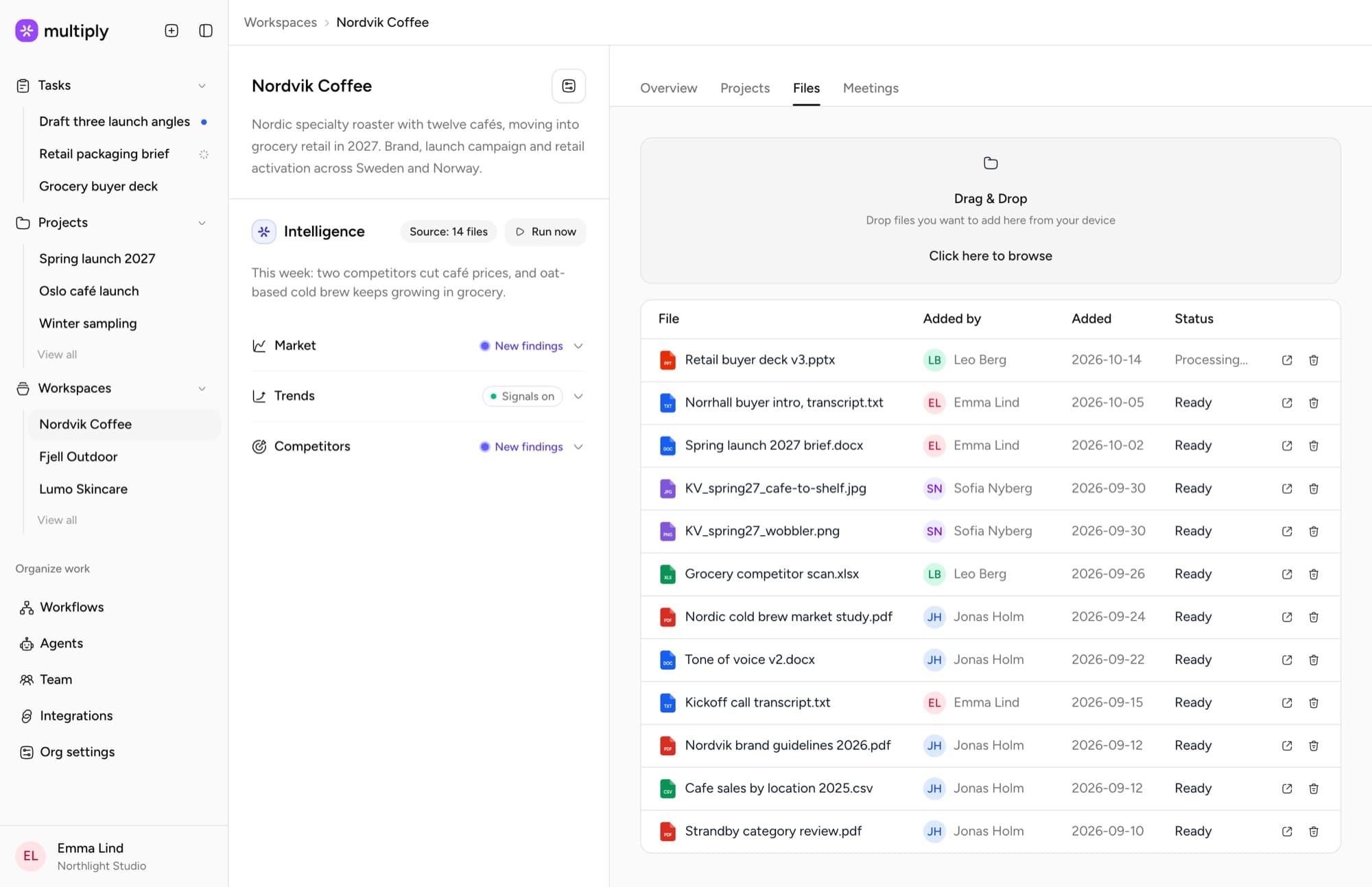
Brand guidelines, strategy documents, reference material and files live at workspace level and flow into every project as background context. New project, same starting position: the agent already knows the client.
One client cannot bleed into another
Run a dozen clients through one general assistant and nothing keeps one client's context out of another's session. In Multiply the workspace is the boundary: each client's material stays scoped to its own workspace.
It researches the client every week
Every Monday, and whenever you add files, the workspace researches its client’s world and files what it finds under Market, Trends and Competitors, with a source on every item. A New signals card shows what changed since you last looked, and Run now gives you a fresh read before a meeting.
Every call and thread becomes context
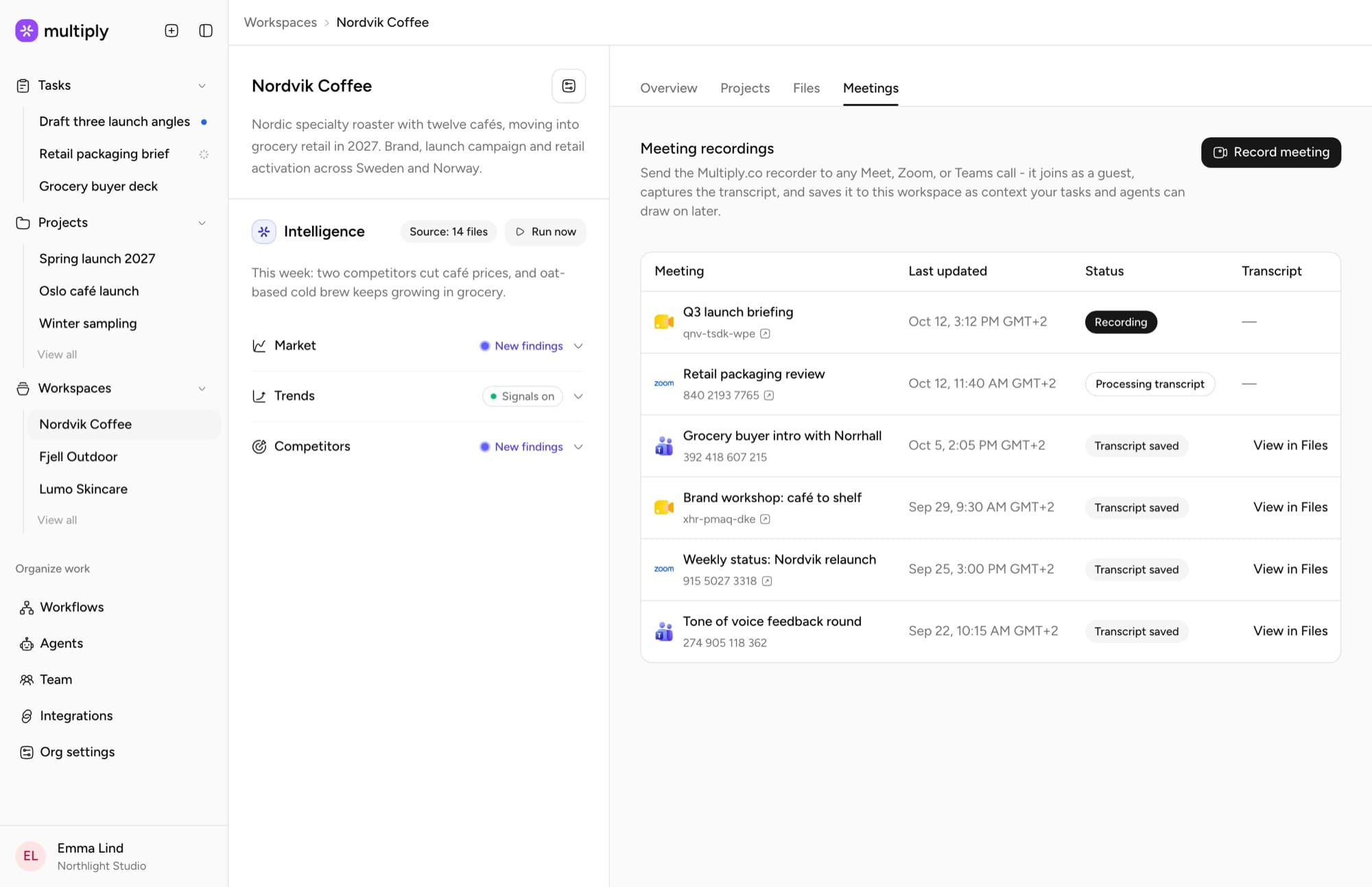
Send the Multiply recorder to a Meet, Zoom or Teams call and the transcript lands in the workspace. Connect Gmail or Outlook and agents can search the client’s threads too. Ask about either in any task on that client.
Workspace questions
Short answers first. The longer ones are a walkthrough away.
Anything that is true of the client rather than of one project: brand guidelines, strategy documents, reference material, files. Projects underneath inherit it automatically.
Folders organise files for people. A workspace grounds agents: what lives there steers every task run under that client, without anyone pasting it into a prompt.
Every Monday, when the workspace is created, whenever new files finish uploading, and whenever you press Run now.
No. Proposals and research stay inside Multiply. Nothing is sent to the client, and no project is created until someone presses Start project.
Set up your first client workspace
Bring one client and we will show you the before and after.